From Reading to Touching:
Interaction Is a Response, Not Decoration
A website is more than a page of information to read. A link responds to a hover, a card lifts, or the background shifts slightly. These small responses turn a site from something to read into something to interact with.
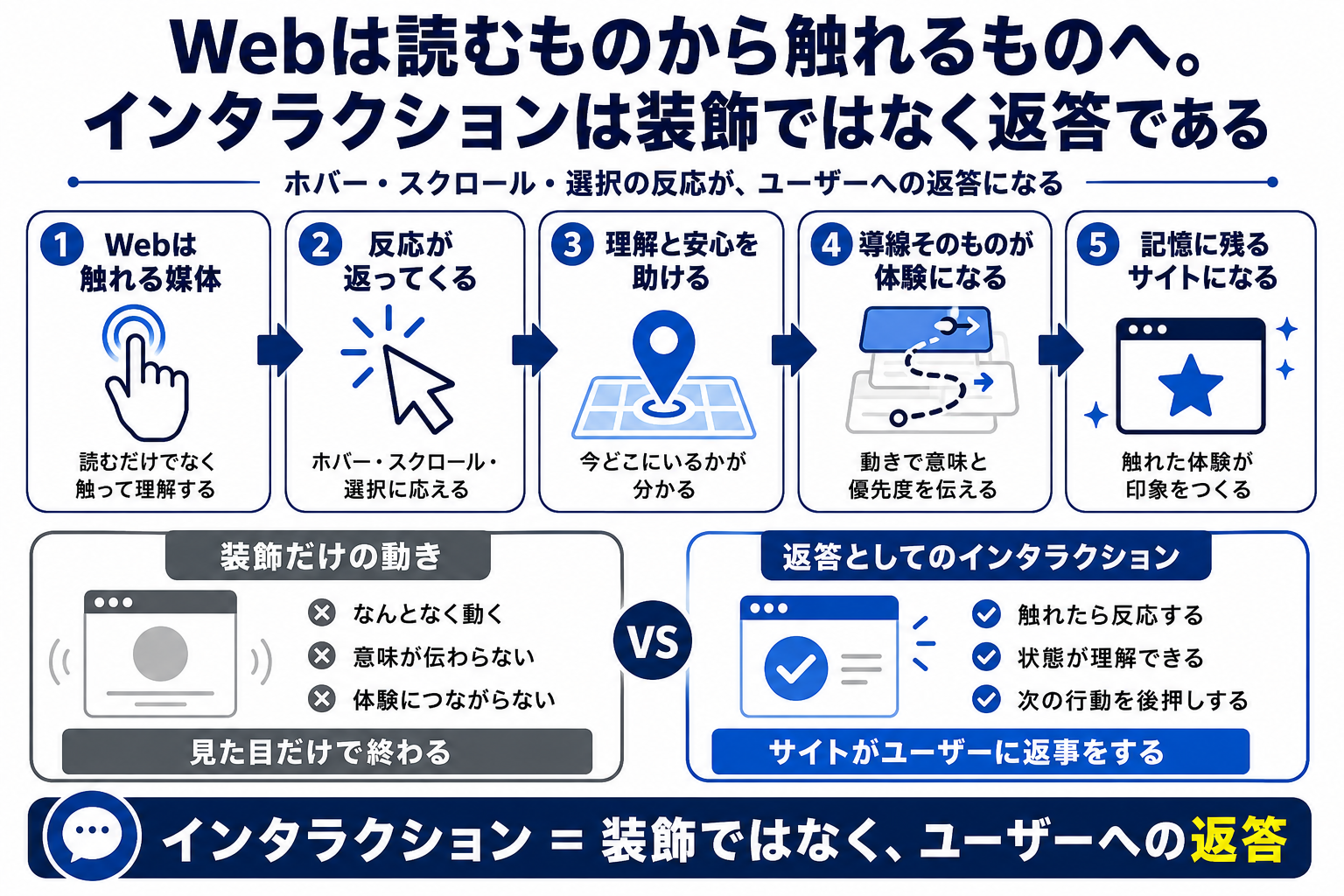
The web is shifting from a surface of information to a space you can interact with
If we treat the web as an extension of paper, we simply arrange text and images. But the web also has time and response: scrolling, hovering, clicking, transitions, and loading delays. Each can respond to a user’s action.
Once we consider these responses, a page becomes more than a flat surface of information. A card lifts slightly, a link changes quietly, or a section appears with room around it. The user feels as if they are moving through a space, not just reading information.
The goal is not flashy effects. Users should know that an element responded, understand where to go next, and remain within the site’s atmosphere. These small responses shape the web experience.
A Page to Read
- Keep it static
- Provide no response
- Leave information flat
An Experience to Touch
- Respond to actions
- Give information movement
- Treat the page as a space
Interaction is the small response a site gives its user.
Animation should clarify meaning, not add noise
More motion is not always better. Animation without purpose makes a page harder to read and more tiring. On an article site, where reading is central, excessive effects get in the way.
Meaningful motion, on the other hand, supports understanding. It can show what is clickable, reveal hierarchy or current position, and indicate what will happen next. Motion can guide attention and communicate changes in state.
Good interaction does not call attention to itself. It responds quietly when touched, supporting understanding and atmosphere so naturally that users barely notice.
- Focus only on the final result
- Do not preserve the process
- Stop at reading
- Make it tangible
- Respond to actions
- Present it as an experience
Aim for a site that moves quietly
In a considered web experience, motion should not dominate. If the whole page feels noisy, effects take precedence over information. Quietness matters especially on a site like Personal Notes, where readers come to follow ideas.
Quiet motion uses subtle changes in spacing, lines, shadows, and color. An element responds slightly on hover, appears softly while scrolling, or changes a link color gently. Even these small effects make a page feel like the web rather than paper.
The goal is for users to know that the site received their action. That is interaction as a response, not decoration.
Designing touchpoints matters more than using advanced technology
You can create an experience without WebGL or complex animation. What matters is choosing which elements become touchpoints for the user: article cards, category links, back-navigation, quote blocks, or calls to action. When these points are designed thoughtfully, the site feels alive.
Adding technology alone does not create an experience. Motion without a purpose can break a site’s tone. Decide what movement fits its world and what responses will preserve readability.
Interaction is part of information design, not decoration added at the end. Consider where a user can touch and what response they will receive. That is how the web becomes an experience.
Distinguish pages that simply present information from pages that respond with meaning
Treat hover, scrolling, cards, and links as UX elements that return atmosphere or meaning when touched, rather than as decoration.
A Flat Page to Read
- Simply arrange the text
- Add motion as decoration
- Treat the page as a flat surface
An Experience That Responds
- Return meaning through interaction
- Use motion to support understanding
- Design the site as a space
Interaction is a response that gives information a tactile quality
Hover, scrolling, and card movement are more than effects that make a page look lively. When interaction returns meaning, users can feel the information’s hierarchy and atmosphere.
- Interaction is a response, not decoration
- The web is not only a medium to read; it can also be an experience to touch
- The direction of “quiet, yet in motion”