Build internal HTML and JavaScript tools without a CDN
Using a CDN can make it easier to build an internal HTML or JavaScript tool.
But in a company environment, external connections, security, network restrictions, and accountability can quickly become concerns.
In practice, an approach that is easy to explain and secure is often easier to get approved than one that is merely convenient.
For that reason, building internal tools without CDNs and with all files running locally is often more practical.
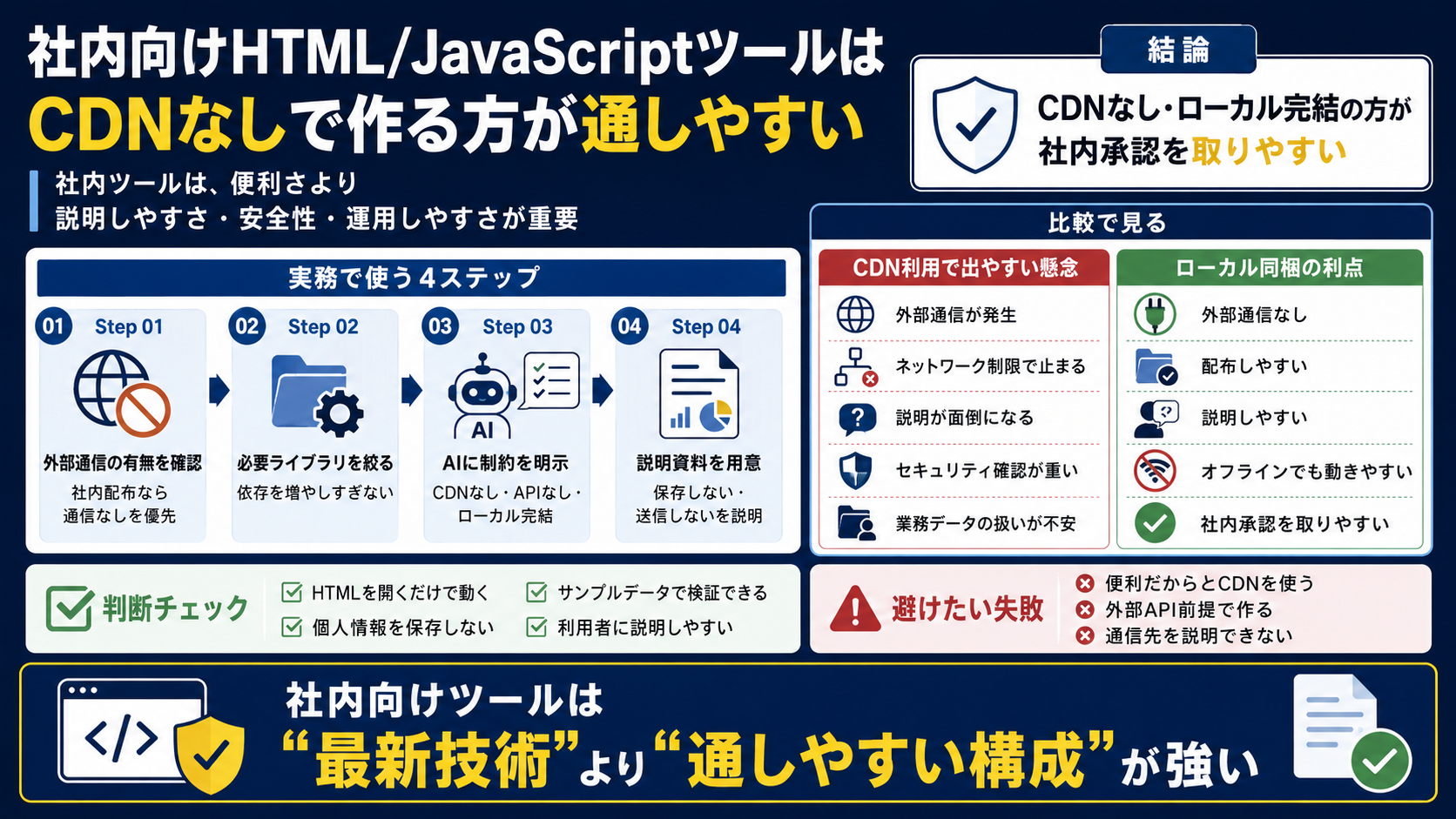
A CDN’s convenience can create explanation costs at work
Loading an external library from a CDN can reduce the amount of code. It is convenient for developers and easy to update.
But with a tool distributed internally, you may need to explain where it connects, whether data leaves the company, and whether it works behind network restrictions.
For tools that may handle business data or internal files, the mere presence of an external connection increases the review burden.
An architecture you can explain becomes more important than convenience.
Bundling files locally can make security and operations easier to manage
Bundle the required libraries so the tool runs when the HTML file is opened, with no external connections.
This setup is easy to explain to users: open the file to run it, data is not sent elsewhere, and it can work even when the network is unreliable.
You still need to check library licenses and manage the bundled files.
Even so, for internal distribution, bundling files locally is often easier to approve than depending on a CDN.
For internal tools, operability matters more than the latest technology
For personal projects, it is easy to use the latest libraries and convenient external services.
For internal tools, the key questions are who will use them, which devices they run on, what network restrictions apply, whether the setup can be explained, and whether it can be fixed if something breaks.
A simple, resilient setup can therefore be more valuable than a technically flashy one.
Constraints such as a single HTML file, local JavaScript, and no external connections can be strengths for internal use.
When using AI to build it, provide the constraints first
When asking AI to build an internal tool, make the constraints clear from the start.
State conditions such as no CDNs, no external connections, no login, local-only operation, no storage of personal data, and testing with sample data.
Otherwise, AI may suggest using a convenient external library or API.
For internal use, include ease of approval alongside convenience in the requirements.
Internal tools are often easier to approve
when they work locally without a CDN .
A different perspective on the same topic can change what you do
The question is not simply whether to use AI. Decide which tasks to keep, which to reduce, and which decisions should remain with people.
- They create external connections
- Network restrictions can block them
- They can be harder to explain
- Security reviews become more involved
- There may be concerns about business data
- No external connections
- Easier to distribute
- Easier to explain
- Can work offline
- Often easier to approve internally
A practical order for applying this idea
Turn the idea into steps that can be applied to real operational improvement.
A checklist for applying the article’s ideas at work
Translate the ideas into practical checks so they do not end with reading.
Potential areas for improvement
- There are no external connections
- It runs by opening the HTML file
- It does not store personal data
- It can be tested with sample data
- It is easy to explain to users
Failure patterns to avoid
- Using a CDN only because it is convenient
- Making an external API a requirement
- Being unable to explain where data is stored or sent
- Not designing with a security review in mind