Chrome extensions
become input devices for the AI era
The information you want AI to analyze is not always available through an API. A Chrome extension that extracts text from the page you are viewing and prepares it for AI becomes an input device for the AI era.
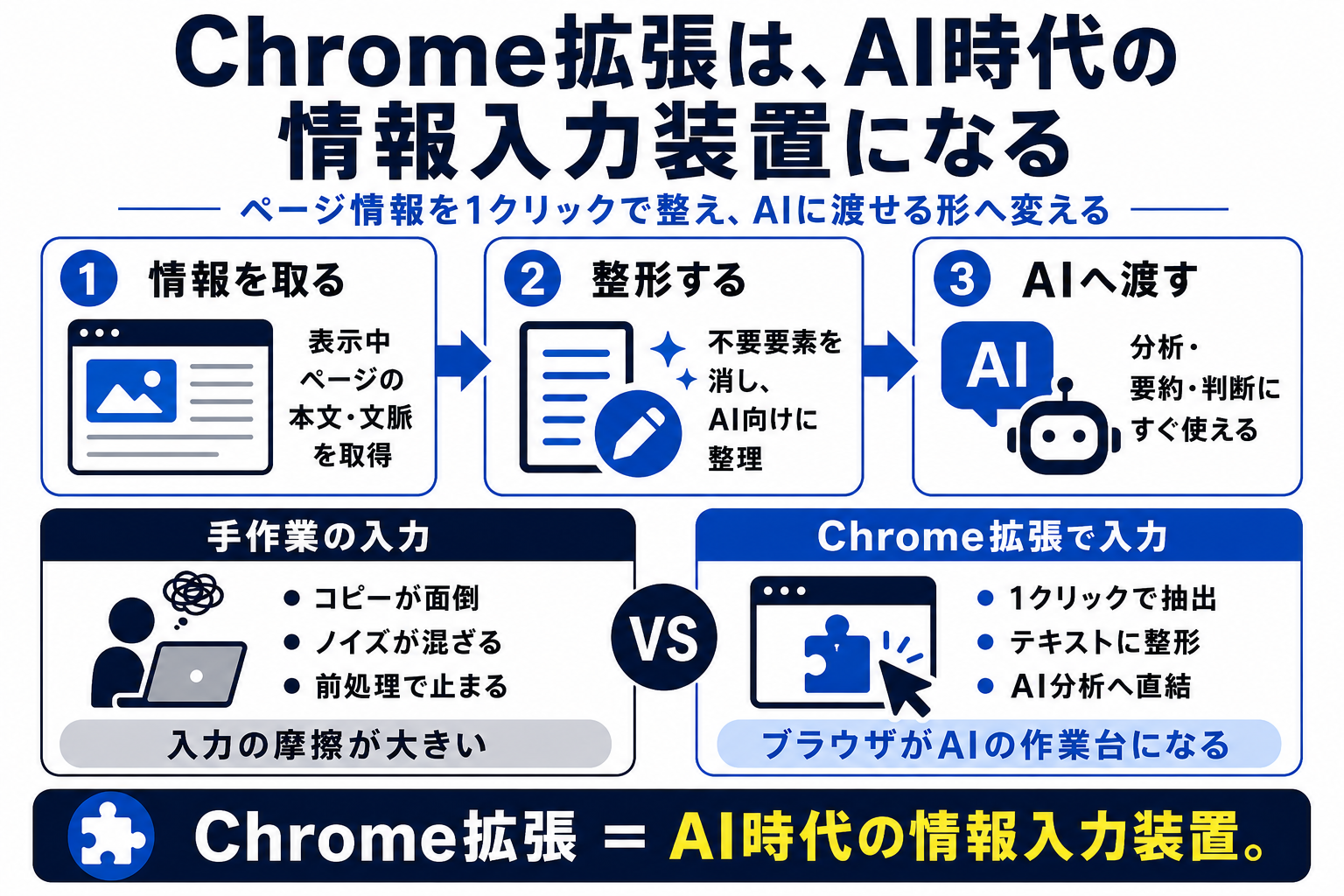
The bottleneck in AI use is getting the input data
AI can summarize, compare, and structure text. But none of that can begin until it receives the information you want analyzed. Web pages, X posts, internal pages, and long articles can all become bottlenecks when copying them by hand is tedious.
A Chrome extension can ease this bottleneck. If it can turn the visible page’s body, headings, links, or post into text with one click, the friction before handing it to AI drops considerably.
A Chrome extension is therefore more than a convenience. It converts information in the browser into input that AI can work with.
Just Browsing
- Open a page
- Copy information by hand
- The browser stays a viewer
Turn It into a Workbench
- Capture the page you viewed
- Prepare the information
- Start without an external API
Simply making it easier to collect information for AI can significantly speed up everyday analysis.
Semi-automation limited to the visible page is easier to adopt
API integrations are powerful, but in a company they often raise questions about approval, authentication, security, and cost. A Chrome extension that only extracts text from the page currently open is easier to introduce.
Instead of automating everything, a person chooses a page and triggers the extraction. This semi-automated approach balances safety and utility. Because it only works with the page currently displayed, it is easier to understand what is being collected.
AI use does not need to start with a large integration. Simply converting the page in front of you into clean text can already make daily work much easier.
- Only look at the final result
- Do not retain the workflow
- Collect information by hand
- Capture the page
- Prepare material for AI
- Store information safely
Use it to extract X posts, summarize articles, and capture page context
Text extraction from the current page has many uses: turn X posts into Markdown, extract only an article’s body, capture its heading structure, or give AI page context for summarizing and identifying key points.
In particular, the quality of input shapes the quality of AI responses. Removing irrelevant menus and ads and organizing the body and headings can make the analysis more reliable.
A Chrome extension handles preprocessing for AI analysis. It may be an unglamorous step, but it can improve the pace of everyday work.
Prioritize easy copying before adding storage
Adding database storage, API uploads, and cloud sync from the start makes development and operations heavier. The first goal can simply be turning the current page into text that can be given to AI.
Make the text easy to copy, preserve Markdown structure, separate headings from body text, and exclude unnecessary UI. That can be practical enough. Letting a person review it before pasting it into AI also helps preserve safety.
Build a small version and use it in daily work. Add storage or database integration only when needed. That is a practical way to grow a Chrome extension.
Distinguish information you view in the browser from input you can give to AI
This article explains how a Chrome extension can extract the text or posts on the current page and prepare them for AI analysis—even when APIs are unavailable.
A Browser That Only Displays
- Read the page and stop there
- Take notes by hand
- Let information disappear into the timeline
A Browser That Prepares Input
- Extract the visible page text
- Prepare it for AI analysis
- Use a small extension to automate input
A Chrome extension can be the bridge from browser information to AI
Even without an API, the browser contains text, posts, and other information worth analyzing. A Chrome extension can extract and prepare that content, creating an everyday entry point for information gathering and analysis.
- Chrome extensions can become information input devices for the AI era
- Extracting text from the current page with one click
- The value of collecting page information without an API