Non-engineers,
build frontline tools with AI.
Operational improvement often brings to mind major system rollouts or development by specialist engineers.
But the real bottlenecks on the front line are often much smaller tasks.
Formatting CSVs. Reconciling Excel files. Removing personal data. Checking column names. Producing reports in the same format each time.
Even non-engineers can use AI to turn many of these small bottlenecks into tools.
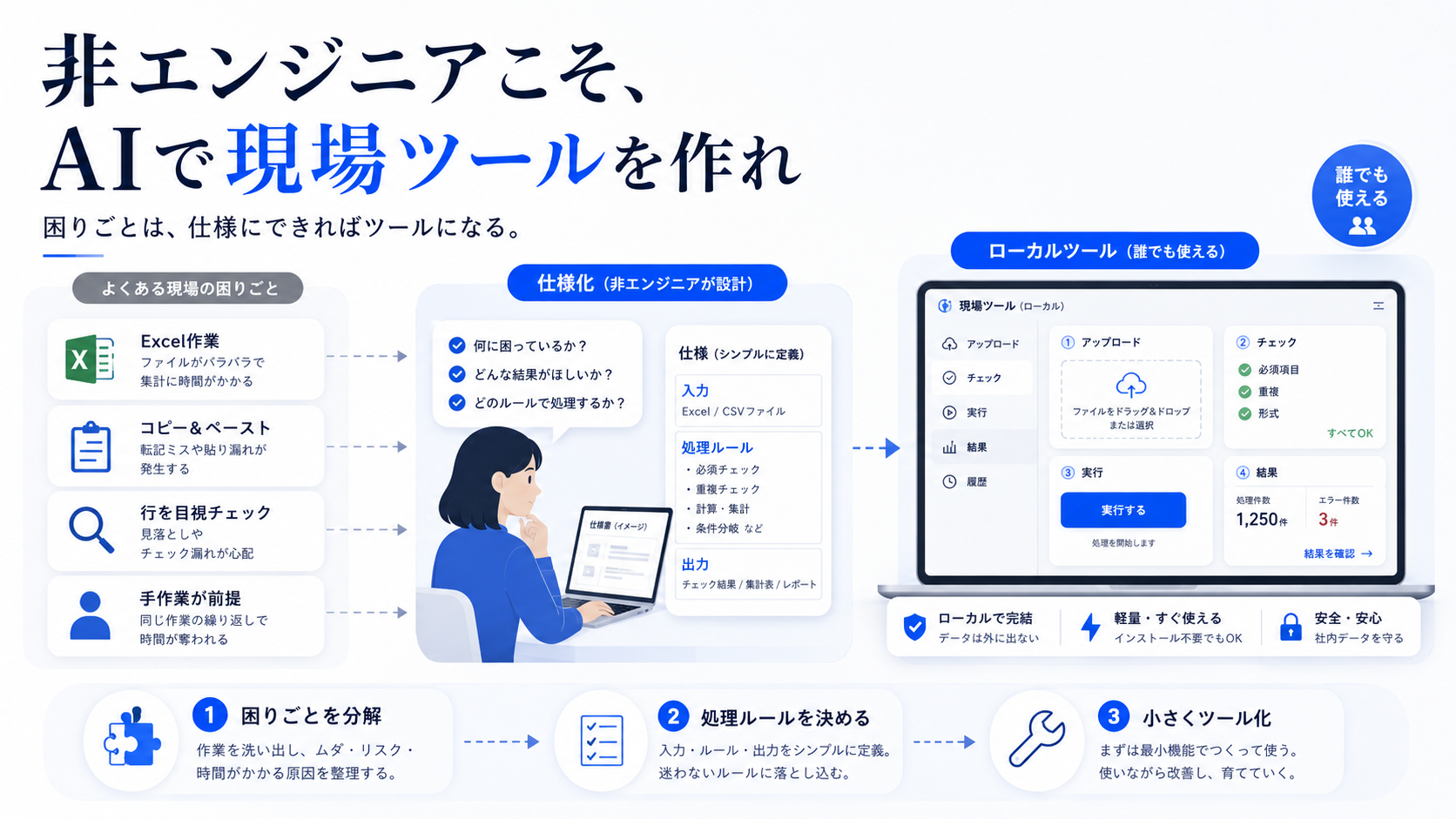
Non-engineers have a valuable understanding of the work on the ground
The value non-engineers bring to tool-building is not their ability to write code.
Their value comes from knowing which tasks are tedious, where mistakes happen, which checks recur, and where automation could become risky.
When hiring an outside developer, explaining the business context alone takes time. Small exceptions, internal rules, quirks in files, and points that confuse staff are easy to miss.
Frontline staff know these things firsthand, so they are less likely to lose sight of the core requirements when asking AI to build a tool.
Start with a small, recurring task
When building a business tool with AI, trying to create a large application right away often leads to failure.
The scope quickly grows once you add login, permissions, a database, production operations, and maintenance.
Start with a small task that has clear inputs and outputs.
Read and format a CSV. Check a specific column. Find differences. Detect risky strings. Create a standard report.
At this scale, a local HTML page, Python, VBA, or spreadsheet formulas may be enough.
Set the decision criteria before writing code
Simply asking AI to “make a useful tool” often produces something that is awkward in practice.
First decide what goes in, what the tool should detect, what it should output, and where it should stop.
For personal-data masking, for example, decide how to handle emails, phone numbers, addresses, columns that may contain names, and information in free-text fields.
Should the data be deleted, masked, or only flagged? Should it be checked again before saving? Should the original file remain untouched?
The clearer these criteria are, the more useful the tool AI builds will be in real work.
Avoiding over-automation can make a tool more useful on the ground
A frontline tool does not need to automate everything.
Keep human review for tasks involving personal data, money, contracts, publication, or customer interactions.
AI and tools should flag easy-to-miss issues and present them in a form that helps people make a decision.
Reduce the review burden without taking away the final decision.
That balance works well for operational improvements led by non-engineers.
Frontline toolsdepend less on coding skill than on
the ability to break down real-world bottlenecks.
For non-engineers, AI development succeeds through fit with the work, not complexity
Rather than aiming for a major development project, it is often more effective to build small tools that safely shorten everyday tasks.
- Trying to build a large business application from the start
- Handing all requirements to AI
- Leaving exceptions and review points undefined
- Pasting real data into an external AI
- Skipping validation after building
- Start with a small process with clear inputs and outputs
- Write down decision criteria first
- Keep clear stop points and review checkpoints
- Work in a local environment
- Use a work log from each run to guide the next improvement
A practical order for applying this idea
Turn the idea into a sequence you can use in real work.
Criteria for deciding whether to build a frontline tool
Tasks that meet these conditions may be good candidates for a small AI-assisted tool.
Tasks suited to a tool
- The same file formats are handled repeatedly
- The check criteria can be stated clearly
- The output format is mostly predictable
- The task is prone to errors
- A person only needs to review the result
Approaches to avoid
- Overbuilding for a task that will only be used once
- Pasting confidential data into an external AI
- Ignoring exceptional cases
- Testing directly with production data
- Making the tool too complex to maintain