From carrying a PC
to sending remote instructions
to a development environment
The need to carry a powerful PC everywhere is starting to fade. Development environments can live at home or in the cloud, while humans send instructions from elsewhere. Work is shifting from doing everything on the device in front of you to operating an environment remotely.
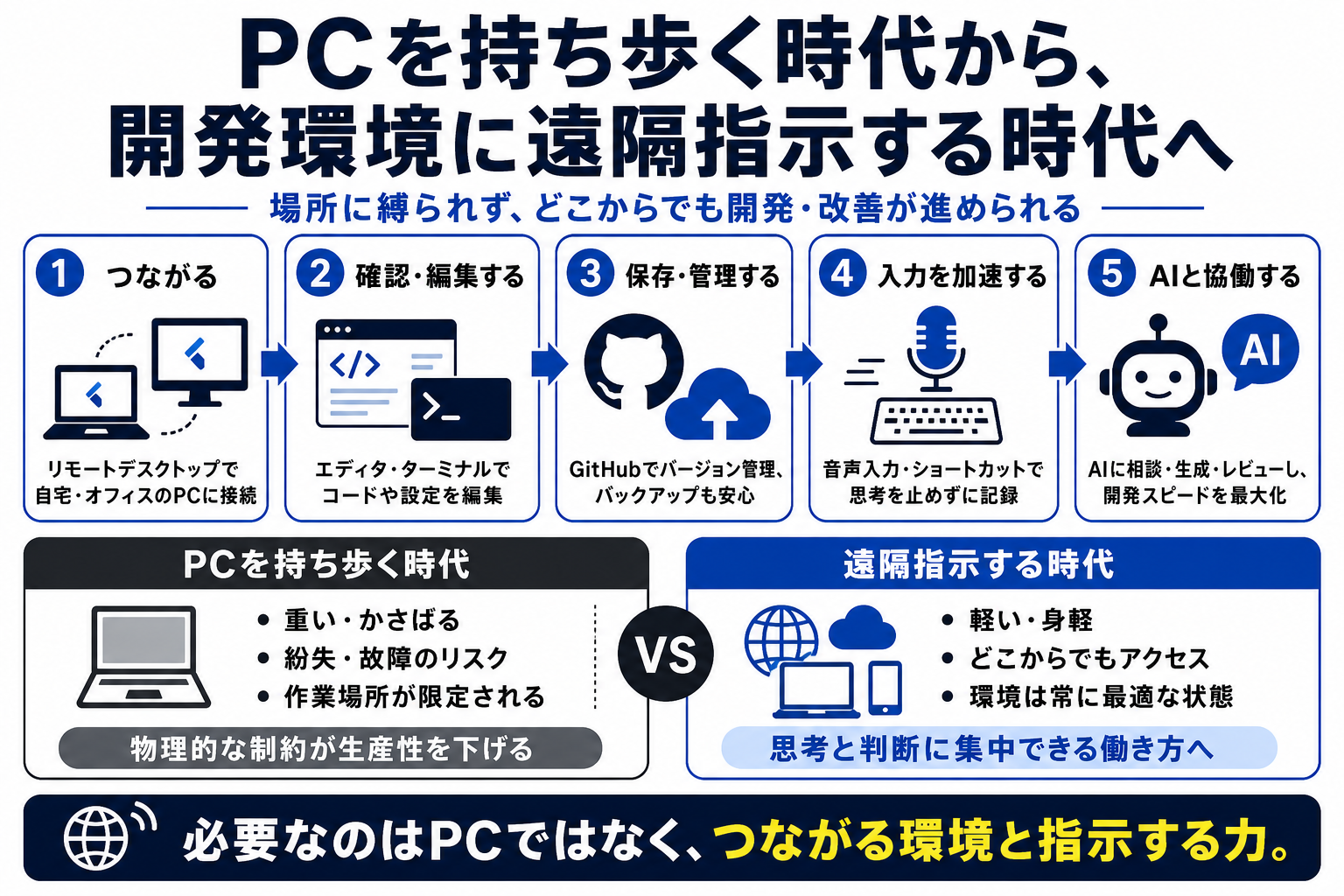
Mobility is no longer only about the device you carry. It is about whether you can instruct the environment that does the work.
The workplace is no longer identical to the machine in your bag
A development environment can now remain in a fixed location while the person moves. Remote desktop tools, cloud IDEs, and AI coding agents make it possible to continue implementation through instructions rather than direct local operation.
Remote work requires clearer instructions than local work
When you are not sitting in front of the full environment, vague instructions become costly. The workflow needs task framing, expected output, check points, screenshots, logs, and a way to confirm whether the instruction worked.
The important part is not remote access, but feedback
A remote command room only works if the feedback loop is reliable. You need to know what changed, whether it built successfully, whether the screen looks correct, and what still needs human judgment.
The value moves from portable hardware to controllable environments
The next layer of mobility is not only a lighter laptop. It is a setup where the real work environment can be safely instructed, checked, and resumed from different places.